
The RAM expansion with standard DDR4 RDIMM modules fails -
phs memory modules work reliably in testing and, with our
overRAMing project, even enable up to 128GB.

The Synology RackStation RS1626xs+ is a powerful NAS system for businesses that comes with a factory-installed 16GB memory module. Anyone looking to increase the system's performance - for example, for demanding virtual machines, large databases, or intensive multitasking applications - will need to upgrade the memory. This is where many users encounter a problem: Standard DDR4 RDIMM modules are not recognized by the system. The device will no longer boot with these modules installed.
We solved this issue with specially qualified and tested phs memory RAM modules and tested our modules in the RackStation RS1626xs+. Step by step, the memory was first expanded to up to 64GB (maximum RAM according to the manufacturer's specifications). As part of our overRAMing project, 100% compatibility with 128GB (4x 32GB) was also verified.
The Problem: Standard RDIMM Modules Do Not Work
The RS1626xs+ requires special Registered DIMM (RDIMM) modules for memory expansion. In practice, however, standard commercially available DDR4 RDIMM modules are not recognized by the NAS system despite having matching technical specifications on paper, preventing the system from booting successfully.
Our Solution: A Specially Qualified and Tested RAM Module
With our technical expertise in memory solutions, we have specially qualified a 16GB DDR4 RDIMM module from our phs memory brand for the Synology RackStation RS1626xs+. After successful compatibility testing directly in the device, the module was approved. The modules were reliably recognized by the system.
Another practical advantage: The factory-installed original module does not need to be removed when upgrading the memory. Our phs memory modules work seamlessly alongside the original module, allowing you to simply expand the factory-installed 16GB RAM.
Step-by-Step Memory Expansion (up to 64GB)
The RackStation RS1626xs+ features four memory slots on the motherboard: two white slots and two black slots. The order in which the modules are installed is crucial for successful operation.
Important safety notice: Memory modules may only be installed or replaced when the device is powered off and disconnected from the power supply.
Initial configuration: 16GB
The factory-installed 16GB module is installed in slot - CH A DIMM 1 white slot.
Step 1 - Expansion to 32GB
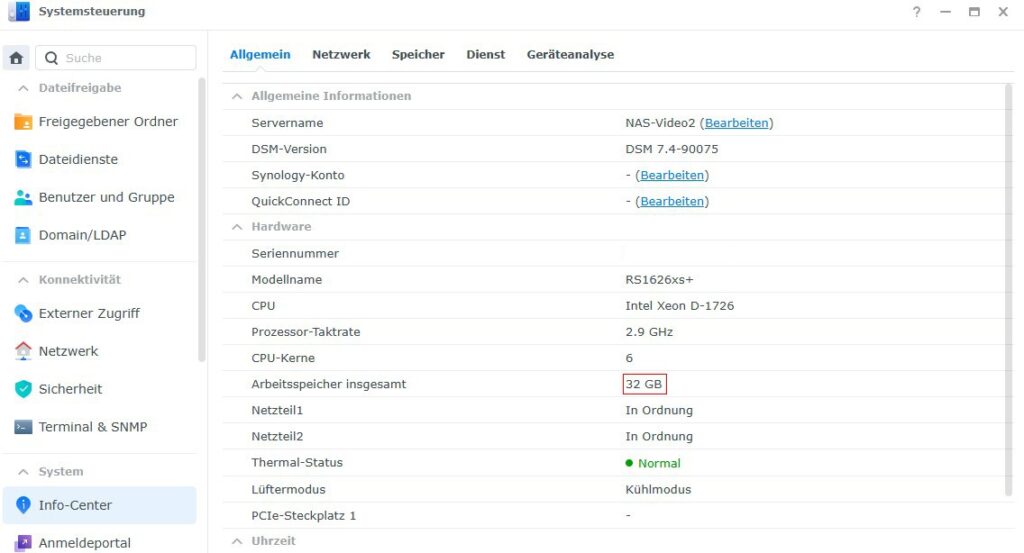
A second 16GB phs memory module is installed in slot CH B DIMM 1 (second, white slot). After switching on the device, the initialization runs automatically: The green LED flashes, the fans briefly speed up, and after around 40 seconds all LEDs remain permanently lit. A confirmation beep indicates a successful startup. The control panel now displays 32GB of memory.
Step 2 - Expansion to 48GB
For the next expansion step, choosing the correct slot is crucial: The third 16GB module must be installed in slot CH A DIMM 2 (first, black slot).
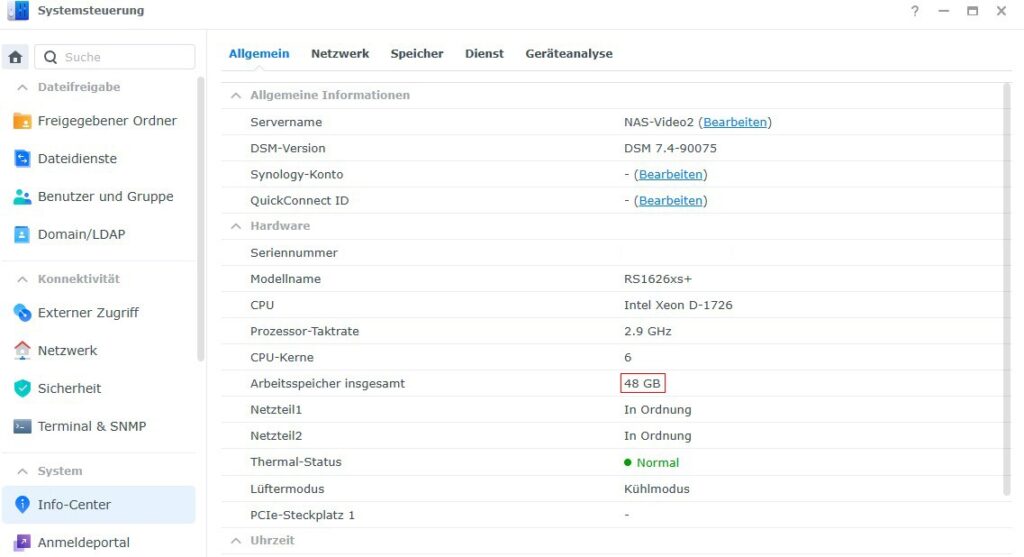
With the correct module configuration, the initialization runs smoothly, but this time takes around 130 seconds until the confirmation beep. The control panel then displays 48GB.
Step 3 - Expansion to 64GB (Manufacturer Specification)
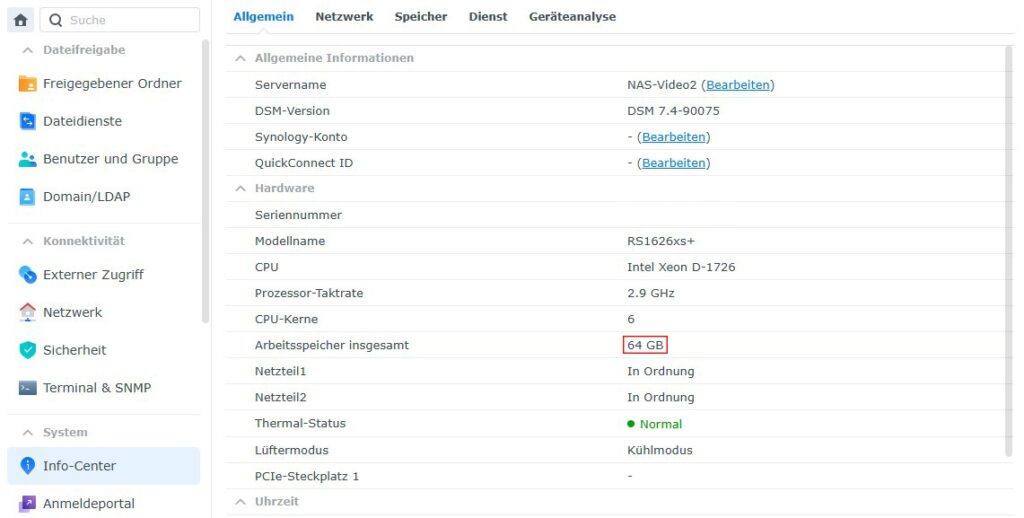
The fourth and final 16GB RAM module is installed in the remaining free slot - CH B DIMM 2 (black), completing the manufacturer's specified maximum expansion to 64GB. After around 150 seconds, this process is also completed. The RackStation runs stably and uses the installed 64GB of memory (4x 16GB). The control panel confirms the maximum 64GB according to the datasheet.
Synology Rackstation RS1626xs+ - overRAMing

However, our test was not finished yet. Manufacturer specifications for maximum memory do not always show what is technically possible in reality. This is exactly what our overRAMing project is all about: Our memory experts independently test how much RAM a device can actually handle, regardless of official datasheets. A module only receives the overRAMing label if it has been proven to achieve a higher total capacity than specified by the device manufacturer and if the entire memory capacity can be reliably used by the system.
You can find more information about overRAMing here.
For the Synology RackStation RS1626xs+, Synology officially specifies a maximum of 64GB of memory in the datasheet. As part of our overRAMing project, we additionally tested the device with four 32GB Registered DDR4 modules from our phs memory brand.
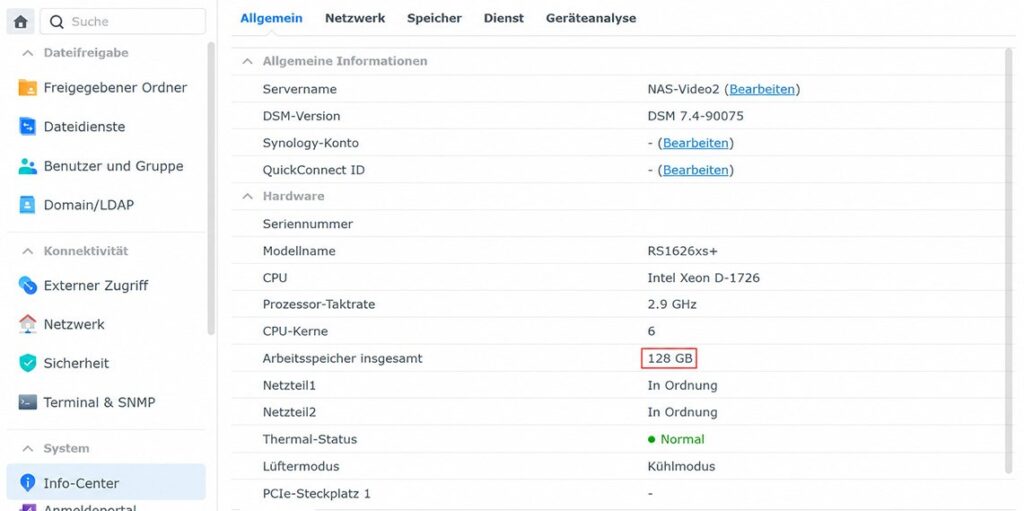
The result: The system runs completely stable and reliably with a total of 128GB of memory - twice the manufacturer's specified capacity. The system control panel fully recognizes the installed 128GB. This successfully proves overRAMing for the RS1626xs+.
In addition, we tested all mixed configurations with the factory-installed 16GB module and one, two, or three additional 32GB phs memory modules. All combinations were recognized by the system without errors and operated reliably.
Mixing different module capacities is therefore not a problem with 32GB modules in the RS1626xs+.
In practice, this means: Anyone who wants to continue using the factory-installed 16GB RAM module can expand the system to 112GB of memory with a "triple kit" consisting of 3x 32GB phs memory modules. For the full expansion to 128GB, all four slots are populated with 32GB modules, replacing the original module.
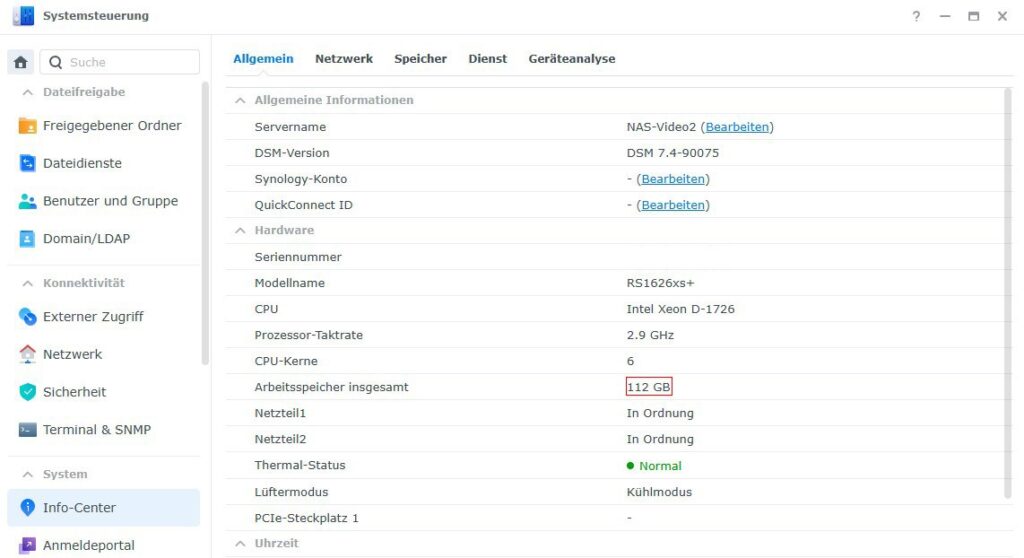
The Synology RackStation RS1626xs+ therefore meets the criteria of our overRAMing project and has been added to the list of overRAMing devices.
Overview: Standard Expansion with 16GB Modules
| Expansion level | Total memory | Newly populated slot |
| Factory configuration | 16GB (1x 16GB) | CH A DIMM 1 (white) |
| Step 1 | 32GB (2x 16GB) | CH B DIMM 1 (white) |
| Step 2 | 48GB (3x 16GB) | CH A DIMM 2 (black) |
| Step 3 | 64GB (4x 16GB) | CH B DIMM 2 (black) |
Overview: overRAMing Configurations with 32GB Modules
| Configuration | Total memory | Status |
| Factory module 16GB + 1x 32GB | 48GB | Successfully tested |
| Factory module 16GB + 2x 32GB | 80GB | Successfully tested |
| Factory module 16GB + 3x 32GB | 112GB | Successfully tested (overRAMing) |
| 4x 32GB (factory module replaced) | 128GB | Successfully tested (overRAMing maximum) |
Installation Video
We have also documented the entire memory expansion process for you in an installation video. Step by step, it shows how to open the housing and populate all four memory slots in the correct order.
➜ Click here for the installation video: https://www.youtube.com/watch?v=wxKPoS6aeUQ
Also suitable for the sister models RS4826xs+ and RS6426xs+
The Synology RS1626xs+ is not the only device in the Synology XS-Plus series that benefits from our tested memory solutions: The new sister models Synology RackStation RS4826xs+ and Synology RackStation RS6426xs+ are also based on the same platform and can be expanded with our phs memory DDR4 RDIMM modules.
Important to know: Both models feature six instead of four memory slots and are officially specified by Synology with up to 96GB of memory (instead of 64GB for the RS1626xs+). The slot order and installation logic therefore differ from the instructions described here.
Synology RackStation RS1626xs+
Synology RackStation RS4826xs+
Synology RackStation RS6426xs+
Conclusion
The Synology RackStation RS1626xs+ can be expanded easily and reliably far beyond the manufacturer's specifications with the right RAM module: Instead of the official 64GB, up to 128GB of memory is possible thanks to our overRAMing project. With our specially qualified and successfully tested phs memory 16GB and 32GB DDR4 RDIMM modules, you can avoid compatibility issues, as standard commercially available DDR4 RDIMM modules do not work in this device.
When expanding the memory, simply make sure to follow the correct slot installation order to ensure smooth operation.